
Everything you need. Nothing you don't.
Stay on top of your work, without an endless learning curve.
With everything on your plate, the last thing you need is a tool that’s too complicated to learn.
You already have Google Workspace. You don’t need something that tries to do it all. You just need the missing piece to bring it all together. That’s where GQueues comes in.
Google Docs is for writing, Gmail is for email, and GQueues is for managing your team’s work.


See everything you need to know
All the info you need to complete your work, right on the work itself! Tasks hold the key details so your brain doesn’t have to.

Set deadlines for your tasks.

The nudge you need to finish work on time.

Break down big projects into as many steps as you need.

Tag all tasks within a topic or theme to create an organizational system customized to your needs.

Keep relevant files at your fingertips so everything you need to complete your work is in one place.

Record any other info you’ll need to get the job done.

Set regular tasks to repeat on whatever pattern you need.


Work with others
Collaborate on projects and delegate work to keep everyone in the loop and meet shared deadlines.

There’s no teamwork without the team! Create collaborative workspaces for shared responsibilities to build trust and reduce miscommunications.

Share individual queues with outside collaborators.

Make lists available to the public so they’re viewable by anyone, even if they don’t have a GQueues account.

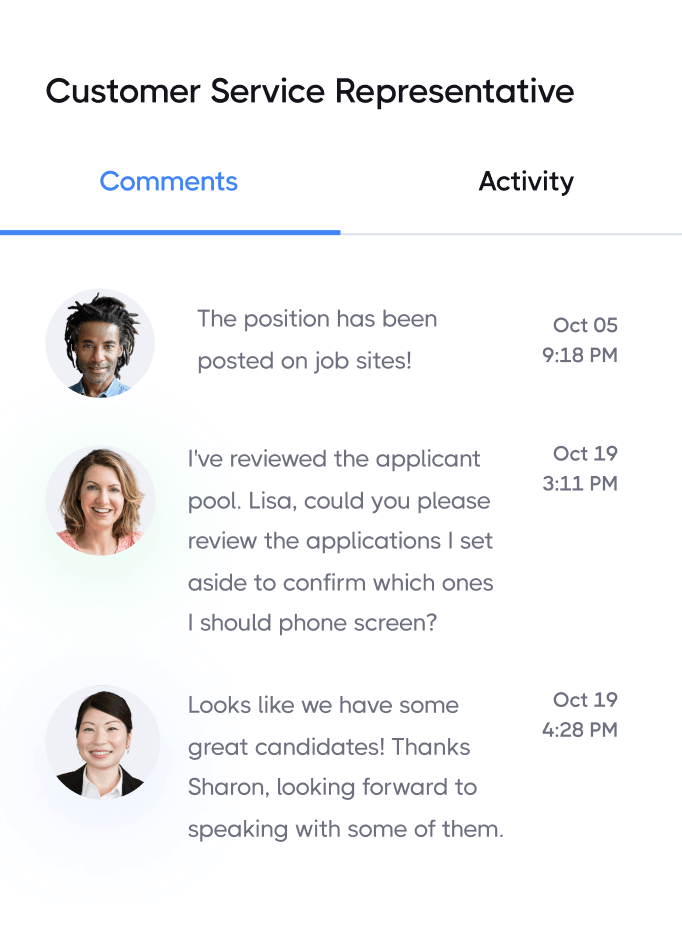
Discuss shared tasks with your team to keep moving work forward. Plus they’re time- and date-stamped for a clear record of project updates.

Make sure projects get to the right people without going back and forth between GQueues and your Google rolodex.

Delegate work and track who’s in charge of what.

See who made what changes to tasks and access previous info in case you change something by mistake.




Visualize your work with calendars
See your tasks in Google Calendar and block out time to get them done.

Visualize how much time you’ll need to complete your work with real-time, 2-way syncing between GQueues and Google Calendar.

Create different calendars in Google Calendar to break up your work by project. Say goodbye to events that all blend together. Give them meaning by seeing them in the context of their larger goal.


Create tasks from your email
Don’t silo your work. Turn emails into tasks so everything’s connected.


Add tasks your way
It doesn’t stop at email! GQueues makes it easy to add tasks - no matter where, or how you work.


Always find what you’re looking for
Get to the tasks you need, even if you don’t have a photographic memory.

Filter for any tasks that meet criteria you set. Create reports to help you figure out what to work on next, or take stock of what you’ve already accomplished.

Not sure what you named a task? Or where you put it? Search has your back. With advanced options and saved searches, always find your tasks, no matter where they are.


Manage your work efficiently
Take your task management to the next level with these time-saving features.





Trust your data is protected
GQueues is secure and reliable, so you have one less thing to worry about.

Security
GQueues runs on the same infrastructure and servers Google uses for its own services. You can relax knowing a secure, 128-bit encrypted SSL connection is used for all communication, and your data remains encrypted when it's "at rest" on the servers.

Easy export
Your data belongs to you! Back up your entire account or just one project so you always have a copy.


Access with ease
Manage your work without jumping through hoops.

No matter where you are, work on your tasks from your phone or tablet with the GQueues mobile apps.

Sign in to GQueues with the same credentials you already use for your other Google Workspace tools.

Open GQueues through the Apps menu. No extra sign-in required.


Prioritize your way to peace of mind

