Kanban has arrived!
Board View is our biggest interface upgrade in over a decade! Now, you can view your team’s projects in kanban-style columns that give you a complete picture of your work in an instant.
.jpg)




Making a list of tasks is a great way to get them out of your head. Documenting every action item for your project ensures nothing falls through the cracks. But once the work begins, one long list may not be the best way to track your team’s progress. What’s being worked on? What’s waiting for an external contractor? What’s not yet started? It’s hard to tell when everything’s in the same list.
Managing a team project calls for a different option to group your tasks so you can see what’s where — and we’re excited to share a major update to let you do just that.
Introducing Board view with kanban-style columns
Today, we’re releasing Board view: a new way to arrange your tasks in kanban-style columns! It’s the biggest upgrade to the GQueues interface in over a decade.
Instant project status clarity
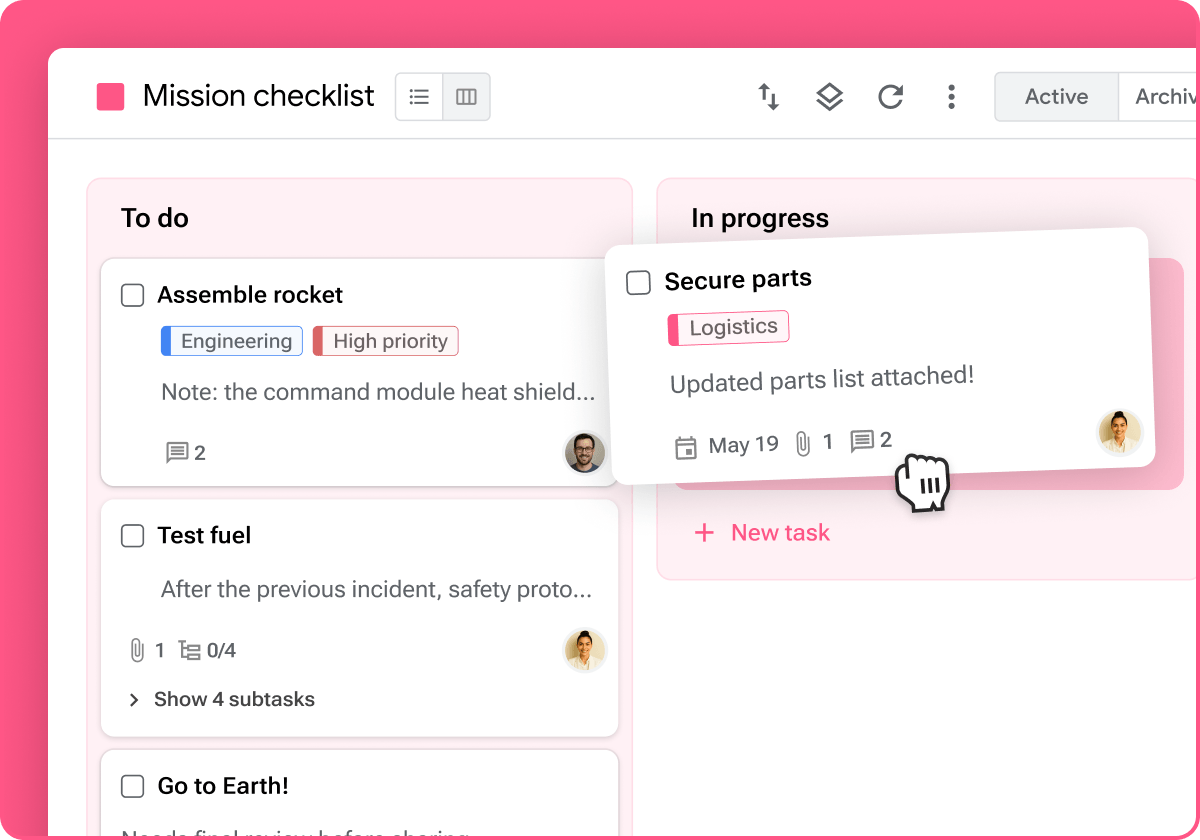
Board view lays out your whole project so you can see where everything stands at a glance. Whether you follow the standard agile project management framework or you set up your queues in another way to suit your work, Board view gives you clarity by making all your tasks visible at once.
Intuitively track your team’s workflow
The column structure of Board view aligns with the natural left-to-right progression of a workflow. The status of tasks on the board is obvious in an instant based on their location, without the need for adding and updating labels or filters. Customize your columns to track the status of a task (To do, In progress, Blocked, Done), work assigned to different members of a team (Andrew, Becky, Carlos, etc.), stages of a content creation workflow (Ideas, Drafting, Review, Design, Published), or however else is best for you and your team.
Faster status updates and better team coordination
As work gets completed, simply drag and drop tasks to move them between columns. Stakeholders who view the board can see the stage of each piece of work. Empty columns reveal bottlenecks in your work.


Switch between views with one click
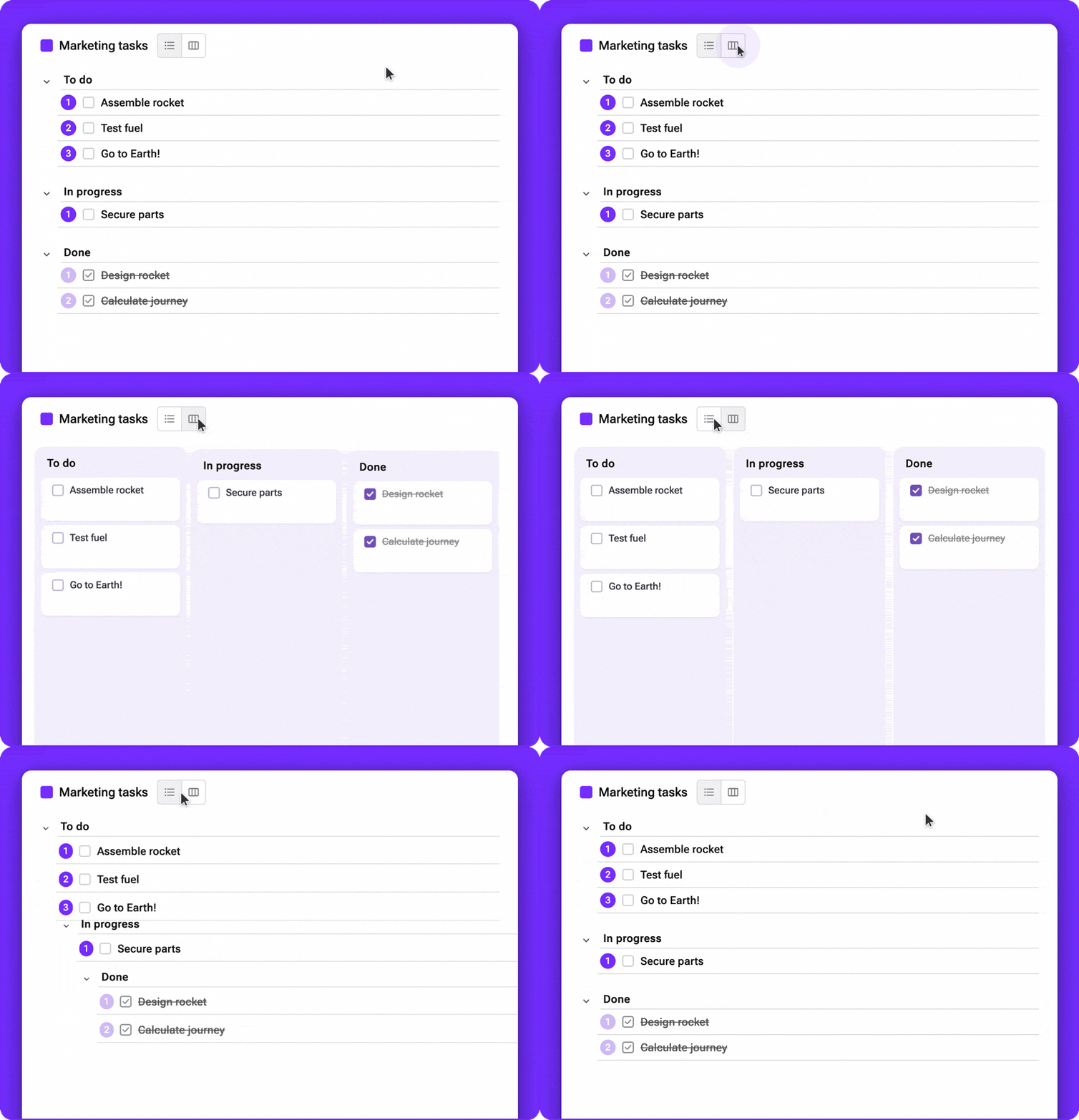
Now, there’s more flexibility to visualize your projects. Any queue can be viewed either as a List or as a Board. When you’re starting out with a new project, it may make sense to start with a list of all your tasks. Once you’re underway, you can lay out the status of work in progress in tidy columns. Starting today, you can get both views from the same queue, and it takes just a click to switch between them. Sections in List view map directly to columns in Board view, so everything is always in sync.
Add as much context as you need
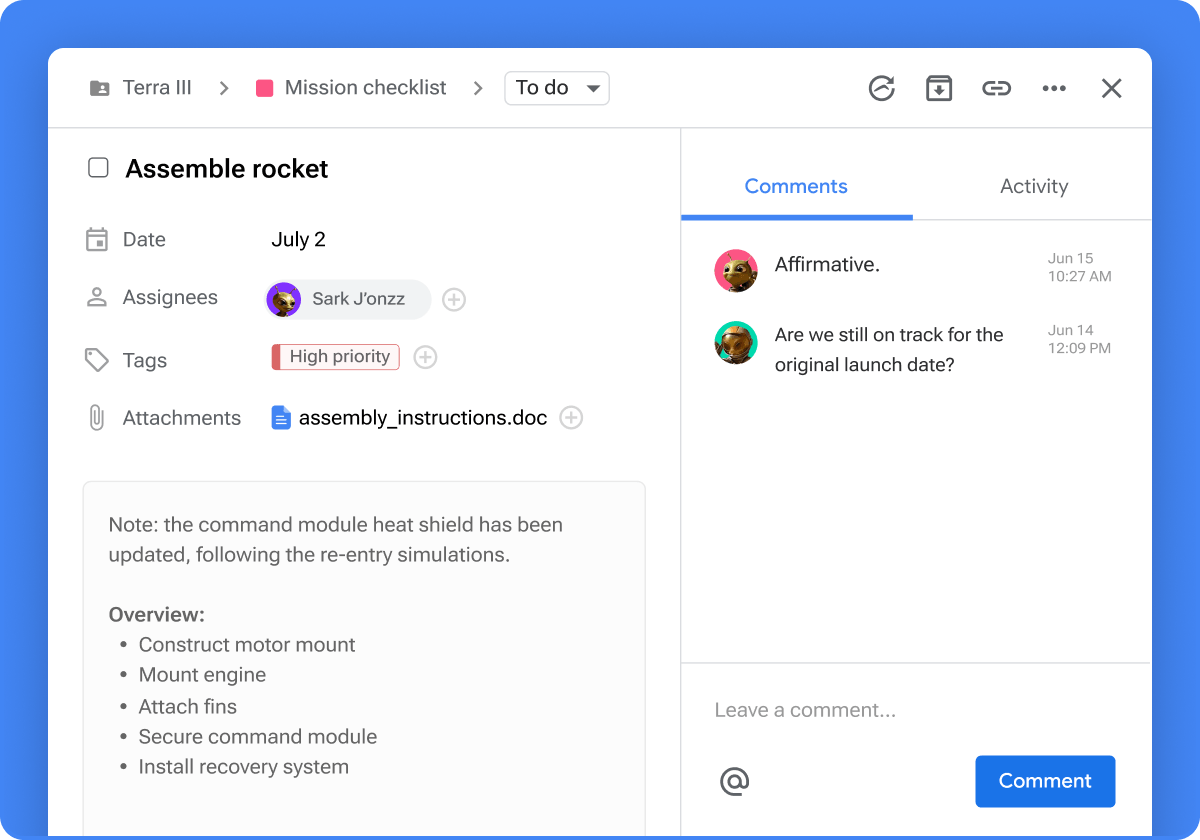
Our philosophy hasn’t changed: tasks should contain the context you need to complete the to-do. Board view is a condensed perspective that makes it easier to see the status of your projects at a glance, but you can view all the details by opening the card. Clicking on a task opens the task detail view, which includes dates, notes, assignees, subtasks, and more, plus comments and activity history.
New Board view templates to help your team complete projects faster
Board view means you can manage more types of projects in GQueues than was possible before. We’ve added new templates to our template gallery that you can start using in your own GQueues account in just a click. We hope they’ll save you some time on the project setup!
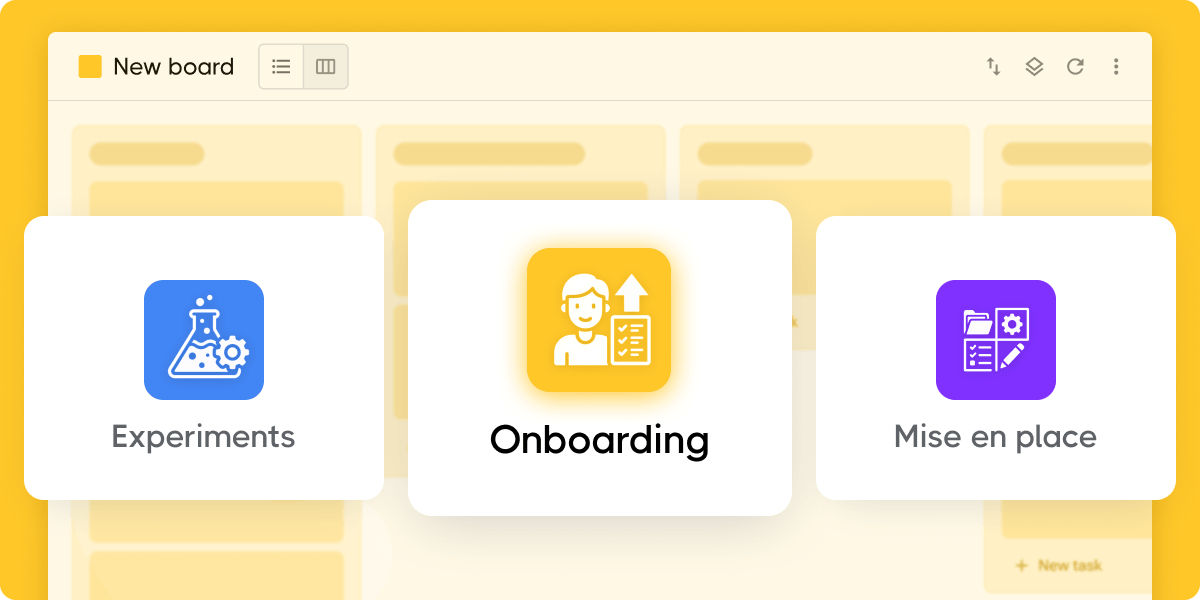
Visit the template gallery to check out options for:
- New hire onboarding plan: Get new team members up to speed without any gaps in institutional knowledge
- Growth experiments: Manage optimizations at scale across your marketing, product, operations, and more with this battle-tested workflow
- Recruiting: Stay on top of your hiring process by keeping track of candidate pipeline
- Mise en place: Inspired by the French cooking philosophy, this productivity framework gives your workspace structure to help you get more done
The kanban board missing from Google Workspace
We designed GQueues to be the team project management tool missing from Google Workspace. That stands true for Board view, too: it’s the kanban board for your team that’s been missing from your Google suite of everyday apps. Board view deeply integrates your projects with Google Workspace apps like Gmail, Calendar, Contacts, Drive, Docs, and more.


Helping you discover how to boost your productivity with GQueues.


Related posts


.jpg)

Prioritize your way to peace of mind

