Better organization and more context in tasks with new text formatting
Starting today, you can add even more detail and make notes easier to read with bold, italics, and underline, plus links, bulleted lists, colors, and more!
.jpg)




Notes are already a popular way to add details to tasks. Starting today, you can add even more detail and make notes easier to read with bold, italics, and underline, plus links, bulleted lists, colors, and more! This has been the most-requested feature from our community, and we’re excited to be able to share it with you.
These rich text styling options will help you store more context within a task and write notes that are easier to scan and read. Shorten long URLs that take up multiple lines of space, bullet list items so they’re scannable, add a Python script with accurate tabs and newlines — these are just some of the ways formatting text can help you work smarter in GQueues.
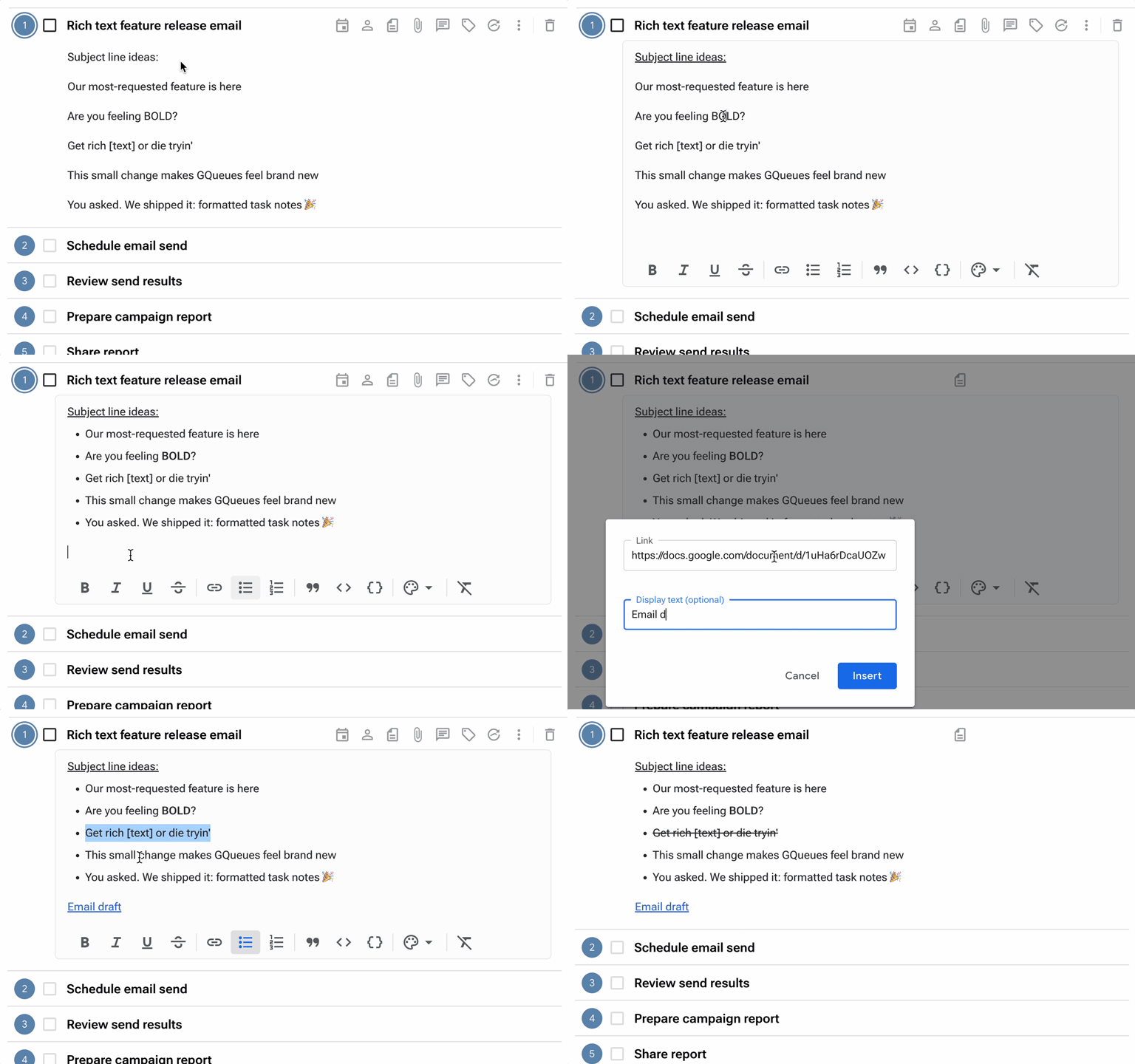
Format notes for clarity
Here are all the ways you can style text in task notes:
- Format text with bold, italics, underline, or strikethrough
- Create hyperlinks with clickable blue text you can edit
- Itemize lists that are • Bulleted or 1. Numbered
- Identify strings of words as quotes, code lines, and code blocks
- Change the color of the text or the text highlight
You can select these styles using the new formatting toolbar that appears below your task notes. You can also format text by highlighting it and using keyboard shortcuts, such as Ctrl/Cmd + B for bold.


Helping you discover how to boost your productivity with GQueues.


Related posts


.jpg)


Prioritize your way to peace of mind

