Sections bring instant clarity to your queues
Sections are new, collapsible groups for related tasks. They are a clean way to organize tasks under a heading without adding a new layer of parent task/subtask hierarchy.




We just added a simple, new feature that will bring instant clarity to your queues.
Sections are collapsible groups for related tasks. They are a clean way to organize tasks under a heading without adding a new layer of parent task/subtask hierarchy.
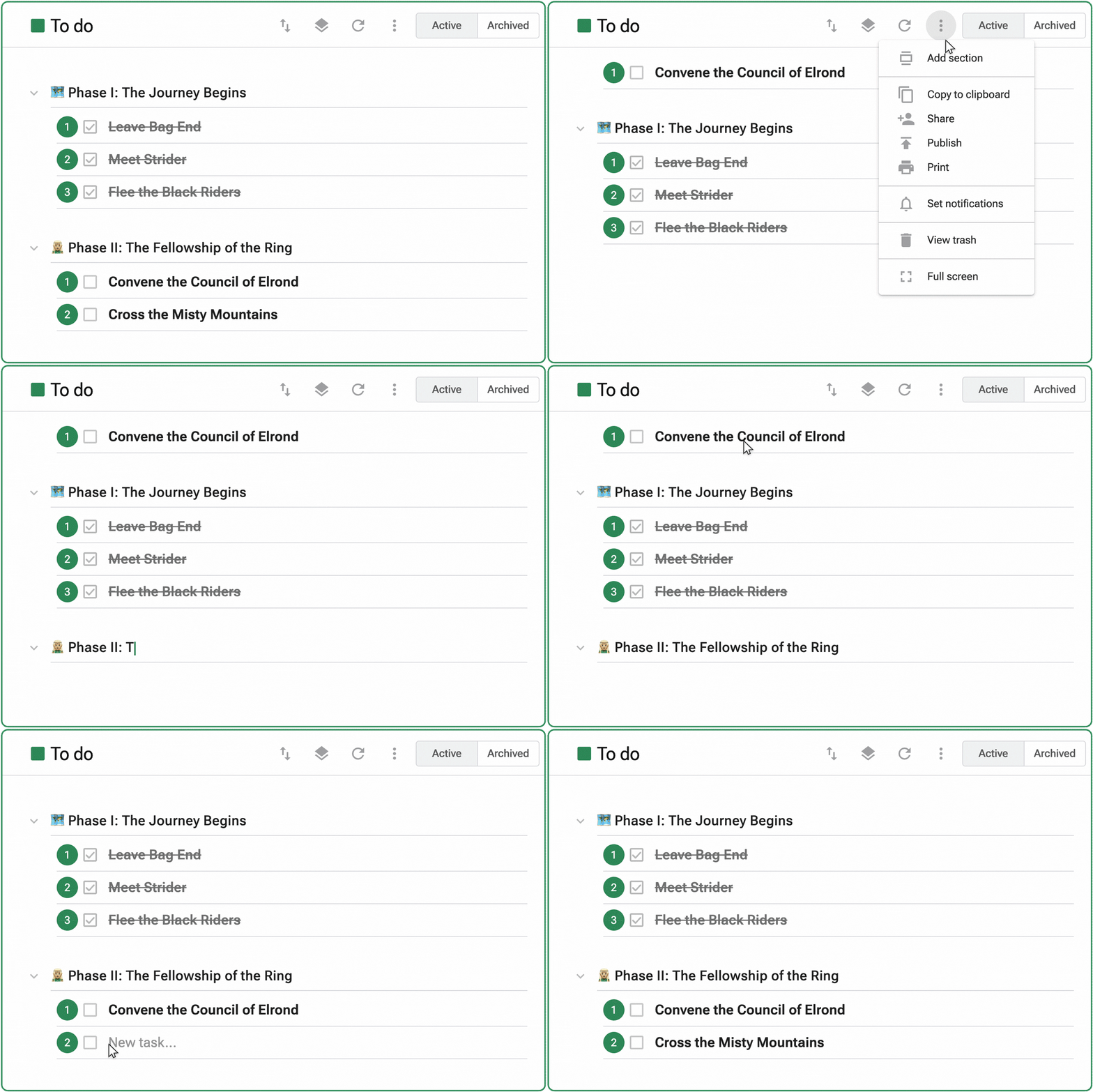
Track status, stage, category, and more with Sections
Sections allow you to customize your queues in whatever order or grouping makes sense for your workflow. Here are some examples of sections you might add to different types of task lists:
- Sales pipeline: New leads, Demos scheduled, Proposals sent, Negotiating, Closed won/lost
- New hire onboarding: Accounts to create, Payroll and benefits setup, First day tasks, First 30-day goals
- Property management maintenance requests: New requests, Ongoing work, Waiting for parts, Assigned to outside contractor, Recently completed
- Shopping list: Produce, Groceries, Butcher, Bakery, Dairy & cheese, Cleaning & medicine cabinet
Sections have been a hit with our beta testers — here’s what one of them said:
“The new Sections feature is fantastic. I’ve already got several of my individual and team clients using it to organize their queues better - it’s solving a real problem for them and me.”
— Elise E.
We hope this improvement to task organization is as helpful for you as it has been for Elise and her collaborators.


Helping you discover how to boost your productivity with GQueues.


Related posts

.jpg)
.jpg)

Prioritize your way to peace of mind

