The GQueues mobile app is totally redesigned — and now it’s free
The GQueues mobile app has been rebuilt from the ground up. It’s faster to navigate, easier to read at a glance, and now included in every plan, including GQueues Lite.
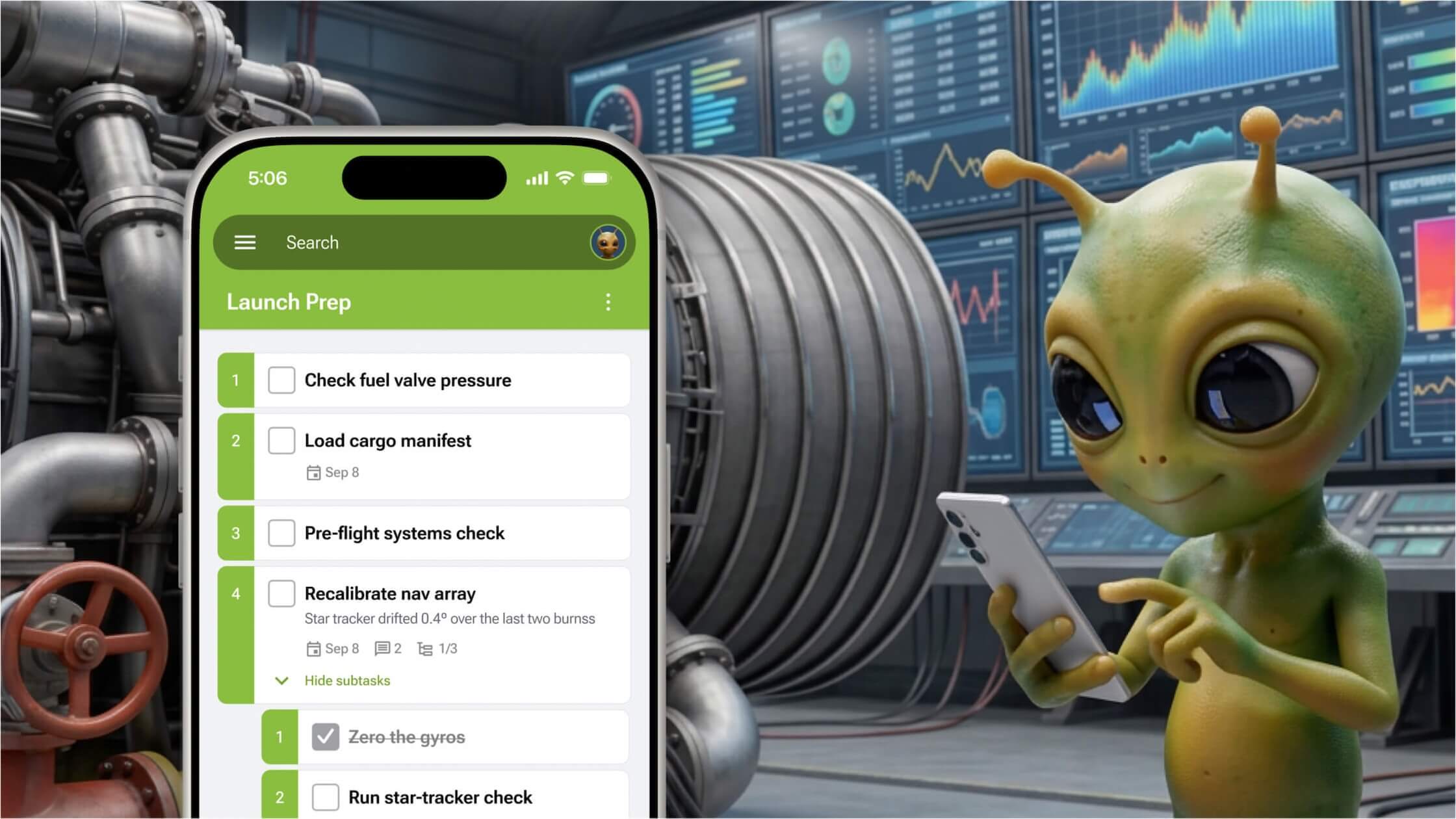




Your tasks don't wait until you're back at your desk, so neither should your task manager. We're excited to share that the GQueues app for iOS and Android has been redesigned and rebuilt from the ground up. It's faster to get around, easier to read at a glance, and much closer to the GQueues you know on the web.
There's a second piece of news, too: the GQueues app is now included in every plan, including the free Lite plan. Until now, the mobile apps came with paid plans only. Now anyone can use the app for free (with the same limits their plan has on the web).

Read on for why we rebuilt the apps, what's new, and what's coming next.
Why we rebuilt the GQueues mobile app
For years, the feedback we heard most often went something like this: people love GQueues on the web, and they wished our mobile apps lived up to it.
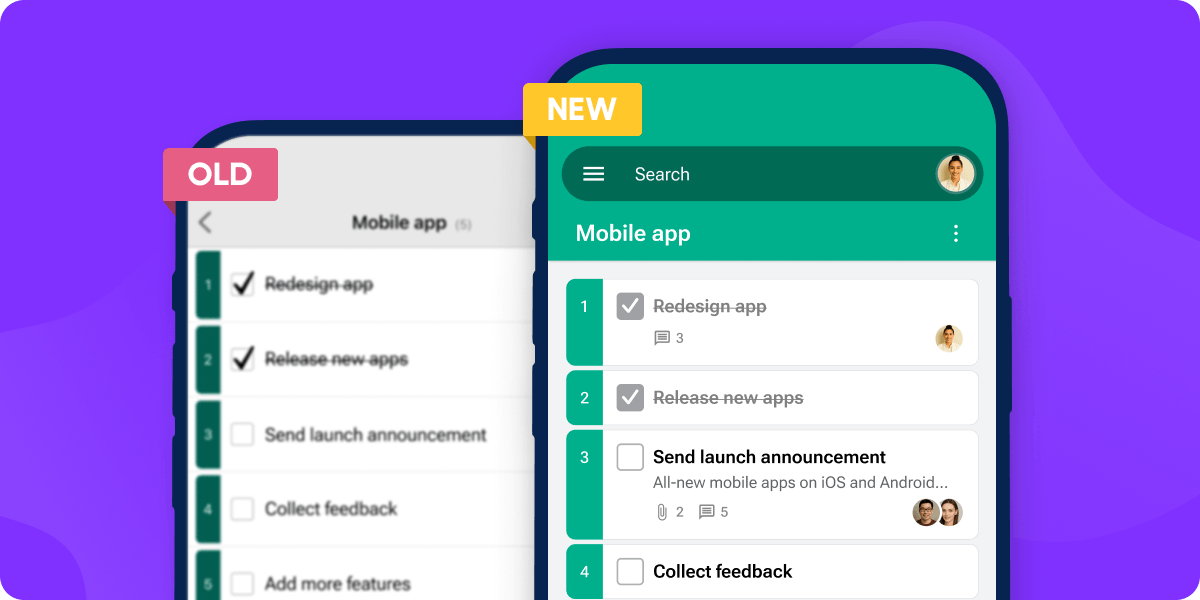
Fair point — the old apps made you work too hard. Getting to today's tasks took too many taps. Task details were tucked behind extra screens. And subtasks, a feature GQueues users love and can't find in most other task managers, sat one tap too deep to be useful on the go.
So we started over. We redesigned the apps around the way people actually use GQueues: checking what's due, rescheduling when plans change, and working through projects with subtasks and teammates. The new layout mirrors GQueues on the web, so if you know one, you already know the other.
What's new in the redesigned GQueues app
Get around faster, in fewer taps
The new sidebar works like the one in GQueues on the web, so moving between queues, Smart Queues, and tasks feels familiar from the first tap. It takes fewer taps to reach the task you're looking for, and the app responds faster when you get there, including for power users with lots of queues and tasks.

More of your task details, without the clutter
Dates, notes, tags, comments, and assignees now appear right in your task list for access at a glance. You can see what's due and who owns it without opening every task. Less squinting, less thumb gymnastics, and a screen that's still easy to scan.
Subtasks, right where you need them
Subtasks are one of the things people love most about GQueues, so we brought them forward. Expand a task to see its subtasks directly underneath, with dates and assignees in view. Big projects stay broken into small, doable steps, even on a small screen.
Keep team projects moving from anywhere
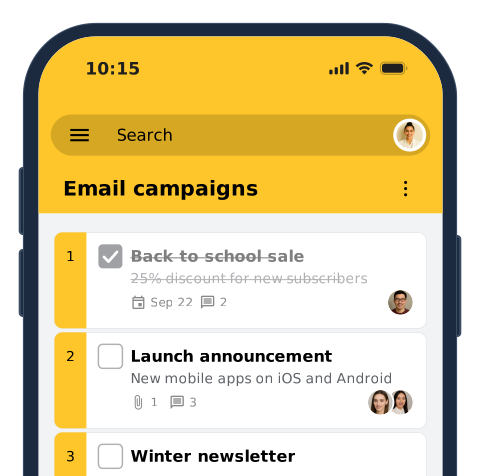
Collaboration comes along for the ride, too. Assign tasks, reply to comments, and open attachments from your phone. When a teammate has a question while you're away from your desk, you can answer it in the task and keep the work moving.

The GQueues app is now included in every plan
Until now, the GQueues mobile apps were only available on paid plans. As of this week, they're included with every plan, including the free Lite plan.
If you use GQueues Lite, that means you can now:
- Capture a task the moment it pops into your head, before it slips away
- Check your queues from the grocery store, the back of a rideshare, or anywhere else
- Check things off on the go, from work to-dos to errands to your shopping list
Lite on mobile works just like Lite on the web, with the same limits. When you need more room, see what paid plans add.
A task manager built for people who work in Google
If you're new here, GQueues is the to-do list and project manager for people who live in Google Workspace. It gives you the structure a basic to-do list app is missing, like projects, subtasks, tags, and assignments, inside the Google tools you already use every day.
- Sign in with Google. Your Google account is your GQueues account, so there's no new password to remember.
- Two-way Google Calendar sync. Tasks with due dates show up on your calendar, and changes flow both ways.
- Google Drive attachments. Attach the doc, sheet, or slide deck a task depends on, right to the task.
- Gmail integration. Turn an email into a task without leaving your inbox, and attach emails to tasks so the context stays with the work.
- Shared queues and assignments. Plan work with your team and see who's doing what.
GQueues has been helping people keep work from falling through the cracks for more than 15 years. If you've been looking for a Google Workspace task management app that works as well on your phone as it does in your browser, the new apps are a great place to start.


What's coming next
The redesign is the foundation, not the finish line. Next up are sections, text formatting in task notes, and snooze. They're the next steps in our plan to bring more of what you can do in GQueues on the web to your phone and tablet.
We can make that promise because GQueues now has dedicated software developers working on the mobile apps full time. Your feedback shapes what they build next, and we read and respond to every message we receive, so tell us what you think.
And if you missed our last release, Board view brought kanban boards to GQueues on the web.
How to get the new GQueues app
- Download GQueues from the App Store or Google Play. Already have the app? Update it to the latest version.
- Sign in with your Google account.
- That's it! Your queues and tasks will be waiting for you.
App store updates roll out gradually, so the new version can take a day or two to reach every device. If you don't see it yet, open GQueues in your app store and check for an update.
Learn more about GQueues for iPhone and iPad and GQueues for Android.
Frequently asked questions
Is the GQueues app free?
Yes. As of this week, the GQueues app for iOS and Android is available on every GQueues plan, including the free Lite plan. Before this release, the apps came with paid plans only. Now, Lite on mobile has the same limits as Lite on the web, and our pricing page lists what upgrades paid plans add. Sign in with your Google account, and your tasks sync automatically between your phone, your tablet, and GQueues on the web.
What's new in the redesigned GQueues app?
The GQueues app was redesigned and rebuilt from the ground up for iOS and Android. It takes fewer taps to move between queues and tasks, the app responds faster, more task details stay in view, and subtasks are easier to reach. The layout now mirrors GQueues on the web. Dates, notes, tags, comments, and assignees appear right in your task list, so you can see what's due and who owns it without opening each task. You can also assign tasks, reply to comments, and open attachments from your phone.
How do I get the new GQueues app?
Download GQueues from the App Store or Google Play, or update the app if you already have it installed. Then sign in with your Google account. If you already use GQueues on the web, there's nothing to set up or import — your queues, tasks, and settings will be waiting for you. The app uses the same account, so your queues, tasks, and teammates appear automatically. Haven't used GQueues on the web yet? No problem, come on in!
Does GQueues work on iPhone, iPad, and Android?
Yes. GQueues has apps for iPhone and iPad and for Android phones and tablets, and everything stays in sync with GQueues on the web. Add a task on your phone and it's on your laptop when you sit down. When a teammate updates a task on the web, you'll see the change in the app, so you can start something on one device and finish it on another.
Does the GQueues app sync with Google Calendar?
Yes. Tasks with due dates can sync to Google Calendar, and changes you make in the app show up on the web and in your calendar. GQueues is built for Google Workspace, so you sign in with your Google account. That lets you plan your day from your calendar and your task list at the same time. Reschedule a task in the app, and the change shows up on your Google Calendar too.
Last but not least, a big thank-you to everyone who tested the beta and shared your feedback. Your bug reports, feature requests, and kind words shaped this release. If you haven't tried the new GQueues app yet, it's ready when you are.


Helping you discover how to boost your productivity with GQueues.


Related posts
.jpg)


.jpg)

Prioritize your way to peace of mind

